Aviation & Car tech: Reviews, How to's, Products, Shows, Design & Manufacturing, photography, video, Home built aircraft, UAV / RC, General Aviation, Car fix & mod
I recently upgraded to the iPhone 15 pro max with a particular interest in its Lidar 3D scanning capabilities. I tried a few apps but was not too impressed until I checked out my old Rhino 3d app that I’ve had for years. It updated with the new phone setup and what do you know it has 3d scanning capabilities.
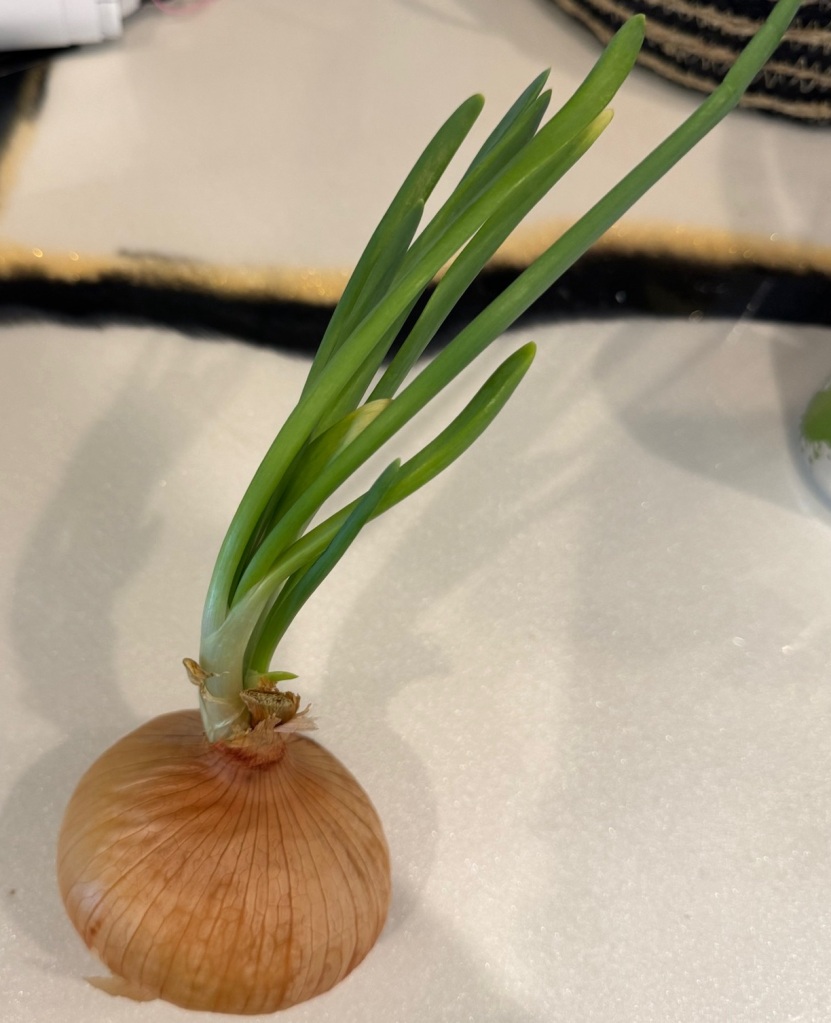
Wanted to give it a good go and thought an Onion that wanted to live would make an excellent candidate.
This is the rendered version of the scan, very impressive. The shaded version is up top.
And here is the real thing
The file saves to the Rhino 3dm format direct in the phones files folder. From there the file can be sent direct to the pc for editing in the Rhino software with node points. This can greatly aid as a reference in new cad designs.
Trying to dramatically increase the volume in your videos and MS video editor is not cutting it? I gave blender a try (yes it has a good video editor built in) after watching a video from DistroTube’s channel:
There are may powerful editing options with Blender video editor.
I’ve gone up to 25X volume so far without a challenge.
I’m trying out new screen casting and editing software and found the audio level was WAY too low on the 1st go around. unfortunately YouTube won’t let you re-upload a video under the same url on their side so I had to upload this new version.
Ill have a video coming out soon on how I addressed the audio in post.
Hope this video helps with anyone upgrading to Rhino 8 having Space Mouse issues.







 Gould Aero